Digital Media Studio & MakerSpace Services
- 3D Printing
- Button Maker
- Cricut Explore 4
- Epilog Fusion Edge Laser Cutter 17000 Series
- Retro Game Stations
- Virtual Reality (VR) Stations
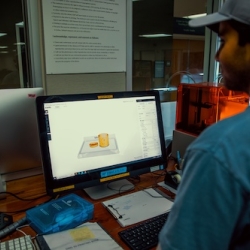
3D Printing
Policy: The Digital Media Studio & MakerSpace permits 3D printing for lawful, non-commercial use only; weapons, violent, or inappropriate models are not allowed. All projects must comply with conduct and copyright rules, and every model must be approved by staff, with slicing handled by staff. PLA filament is $0.084 per gram with a $1 minimum, paid in advance. Files must be submitted in (.stl) format, and all prints must be completed within 7 hours (no overnight printing).
Machines available:
- UM3
- UMS5
- Self-Serve 3D printing stations coming soon
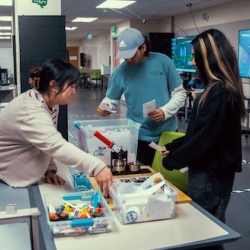
Button Maker
Policy: Each person can make up to 3 sets of buttons per day, with a 2.25" design size; designers may
bring their own pictures or designs, or select from available options.
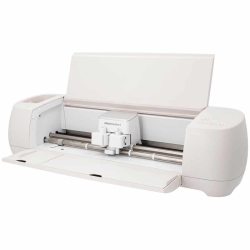
Cricut Explore 4
An easy-to-use cutting machine for small projects like vinyl decals, labels, stickers, and cardstock crafts.
Policies:
- Limited materials available (small projects only): DMS provides limited vinyl and cardstock for small projects(availability may vary). For larger projects, users are encouraged to bring their own Cricut Explore 4–compatible materials.
- User must know basic operation: Users should understand how to operate Cricut machines (e.g., using Cricut Design Space, selecting materials/settings, and loading/unloading mats).
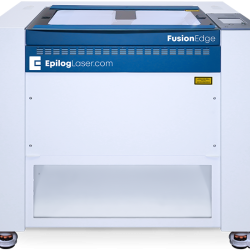
Epilog Fusion Edge Laser Cutter 17000 Series
A high-precision laser cutter/engraver used to cut and etch approved materials for signs, prototypes, artwork, and project components.
Policies:
- DMS materials only: Users may only laser cut/engrave using materials provided/approved by the Digital Media Studio (DMS).
- Staff-operated machine: The laser cutter is run by DMS staff only. Users are not permitted to operate the machine.
- Appointment required: You must schedule a time to process your job with DMS staff.
- Consultation encouraged/required: Please consult with DMS staff before your appointment to confirm file setup, material compatibility, and job readiness.
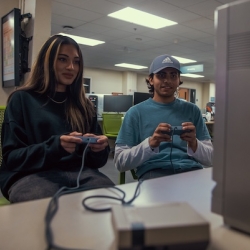
Retro Game Stations
Retro gaming setup uses Raspberry Pi, CRT monitors and 8Bitdo controllers to play classic games
with simple setup instructions, controller shortcuts. Please treat equipment carefully!
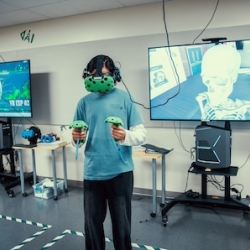
VR Stations
Policy: VR equipment use requires valid SFSU ID, check-in, waiver, spotter with at least 2 users per session, 15-minute sessions (multiple allowed); availability depends on staffing and room scheduling.
VR Headset Model:
- HTC Vive
- New headsets coming soon